Looking for related guides? Start with the qz-l Learning Center and explore more tutorials in this topic cluster.
Tech Dive: How We Built the AI-Powered QR Scanner Tool on QZ-L.com
Our goal was to provide a QR scanning experience that is not just fast but also smart, giving users AI-generated insights about scanned content.
Tech Stack
- Frontend: Next.js with React and Tailwind CSS.
- QR Scanning:
qr-scannerlibrary for both live camera scanning and image uploads. - AI Analysis:
gemini-2.5-flash-litemodel via Google GenAI API for summarizing QR content. - API Layer: Next.js API route
/api/ai-qr-scanto handle AI analysis requests.
Implementation Highlights
1. Scanning QR Codes
- Users can scan using their camera or upload an image.
QrScanner.scanImage(file)is used for image uploads, returning detailed scan results.- After scanning, the result is saved in React state.
2. AI Analysis
- We implemented a wrapper
analyzeQr(qrText)to call our Next.js API. - The API sends the scanned text to the AI model, which returns a structured JSON:
{
  "type": "url|text|email|phone|wifi|unknown",
  "summary": "<short analysis>",
  "original": "<original QR content>"
}
- The frontend uses
useEffectto automatically trigger analysis whenever the scanned result changes.
3. Safety Link Preview
- If the scanned content is a URL, we fetch a preview (title, description) to help users identify unsafe links.
- Integrated seamlessly with the AI summary for a better user experience.
4. UI & UX
- Tailwind CSS ensures responsive design.
- Results and AI summary are displayed clearly, with upload fallback and proper spacing.
- Designed for both desktop and mobile users.
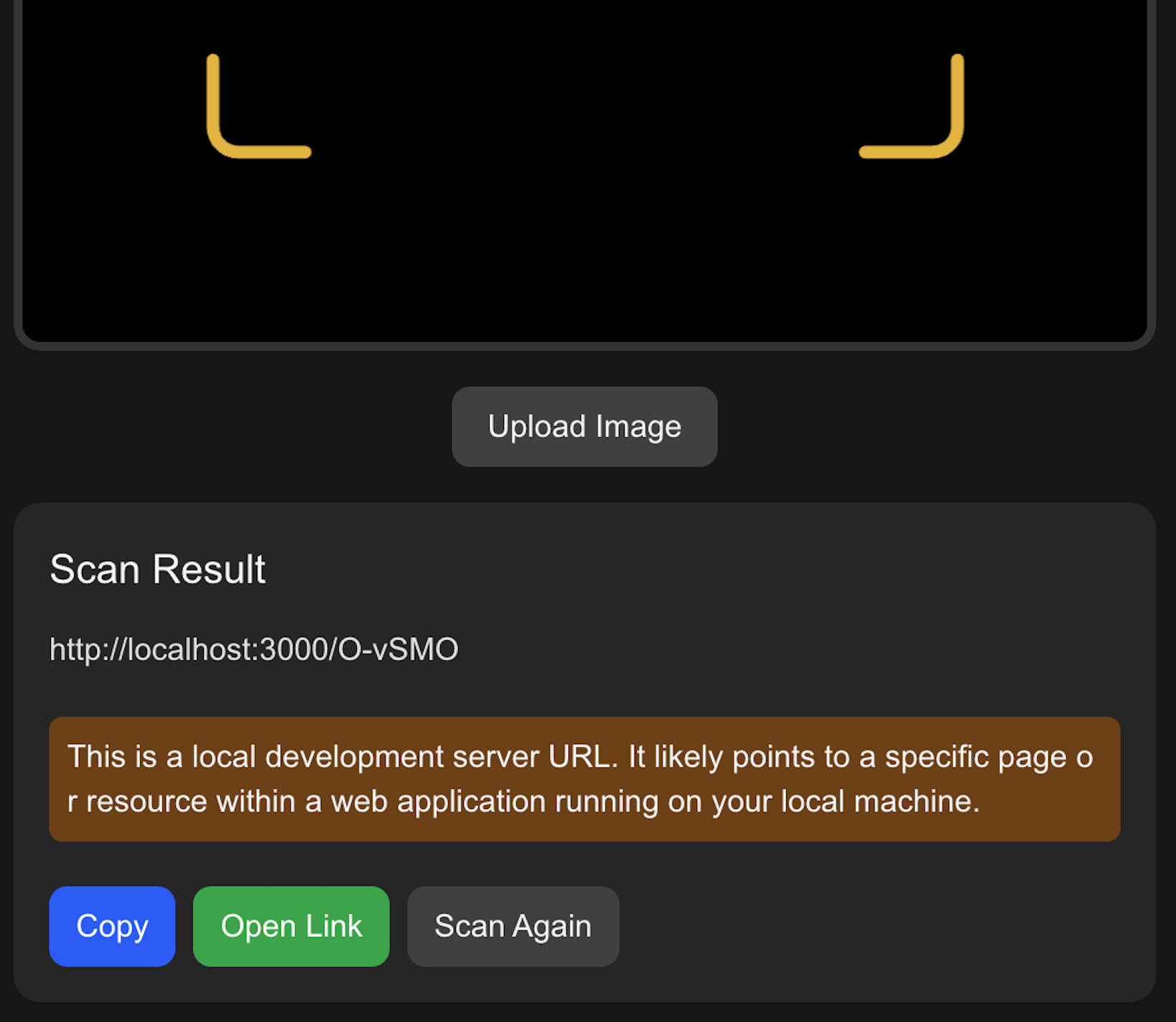
Screenshot
Here is a snapshot of how the AI QR Scanner works:
Conclusion
This tool combines real-time QR scanning with AI-powered insights to provide users with a smarter, safer experience. It's the first step towards more intelligent tools on QZ-L.com.