⏳ Set Expiration Dates for Your Short Links
We're thrilled to announce a new feature for qz-l.com registered users: custom expiration dates for short links. Now, when you create a short link, you can control exactly when it should expire — giving you more flexibility and security.
Whether you’re sharing a temporary promotion, time-sensitive content, or just want more control over your links, this feature has you covered.
✨ How It Works
When creating a short link, you’ll now see a new Expiration Date field:
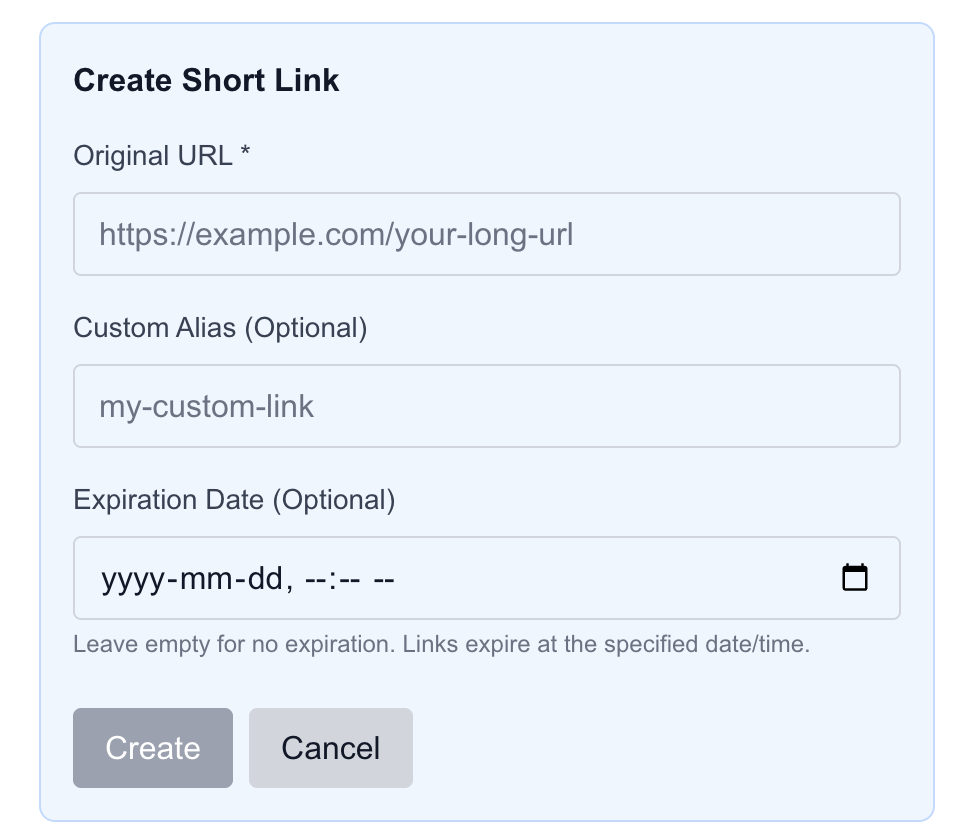
- Optional: You can leave it blank for links that never expire
- Date & Time: Choose a specific day and time when the link will become inactive
- Immediate Effect: Once the expiration time is reached, the short link will no longer redirect
🔗 Why This Matters
Adding an expiration date gives you several advantages:
- Control Access: Ensure temporary promotions or documents expire automatically
- Reduce Link Clutter: Expired links no longer occupy your active list
- Security: Minimize the risk of old links being misused
- Planning: Schedule links to expire in the future without manual intervention
💡 Getting Started
- Go to Create Short Link on your dashboard
- Enter your Original URL
- Optionally, set a Custom Alias
- Select the Expiration Date (or leave empty for permanent)
- Click Create
Your short link is ready — and will automatically expire at the date and time you chose.
🚀 Try It Today
This new feature is available for all registered users on qz-l.com.
Whether it’s a one-time event, a temporary promotion, or limited-time content, you now have full control over your links.
We’re always looking to improve qz-l — if you have feedback or suggestions, we’d love to hear from you.
Happy shortening!